Showing posts with label encoder. Show all posts

Tuesday, November 17, 2009

Envivio 4Caster C4 Encoder Powers Bouygues Telecom Mobile TV Service


Envivio Inc. announced that its 4Caster C4 video encoder is being used by Bouygues Telecom, one of France's largest mobile network operators with ten million subscribers, to encode video for its TV 3G+ mobile video service. The Bouygues Telecom video headend is hosted by Cognacq-Jay Image, the content management and delivery subsidiary of TDF. TV 3G+ provides subscribers with access to more than 60 channels in a variety of standard and premium packages.

When launching the new service in November 2008, Bouygues Telecom and Cognacq-Jay Image elected to replace their legacy software encoders with the 4Caster C4 hardware encoder configured for Mobile TV. The multi-profile 4Caster C4 enables the TV 3G+ service to be optimized for the 176 different handsets currently in use by Bouygues Telecom subscribers. This includes a QVGA resolution, 3.5G HSDPA profile to deliver premium video quality for subscribers with high end devices.

“4Caster C4 from Envivio has helped us by delivering the reliability and performance needed to provide a good quality of experience for the end user, as well as flexibility that is enabling our company to follow the fast-moving mobile market.” said Thibaut Keraval in charge of Mobile Services Solutions in Bouygues Telecom

“Upgrading the existing infrastructure to an up-to-date Envivio platform was an important decision in the development of TV 3G+,” said David Karoutchi, Business Development Manager – Mobile & Broadband, Cognacq-Jay Image. “The 4Caster C4 provides a high reliability, high performance foundation that offers the superior service levels we were looking for in order to ensure the best experience for subscribers.”

The award-winning Envivio 4Caster C4 simultaneously delivers four channels of video with up to 32 different Mobile TV profiles per system, providing an advanced compression platform for operators launching new services or upgrading early generation services based on software encoding platforms. The Bouygues Telecom deployment also includes the Envivio 4Manager headend management system, providing M:N automatic redundancy configuration for true carrier-grade service availability. This transforms mobile TV into a full-fledged service offering, based on a state-of-the-art professional headend infrastructure.

Tuesday, October 27, 2009

Encoding H.264 Downloadable Streaming Video with Episode Encoder Pro

Encoding H.264 downloadable streaming video with Episode Encoder Pro is simple to do. For this tutorial we’ll take a DV.mov source file that is 720 x 480 and 29.97 frames per second captured from an analog source. The source file has the DV/DVCPro Codec for video with PCM for audio.
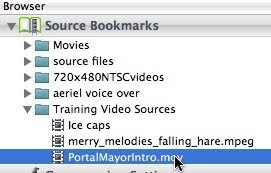


To get started with encoding this file for downloadable streaming for high broadband users in Episode Encoder Pro, we first need to select our source file.


Next, drag it to the Batch area where Drag Source is displayed


Now your source file can been seen in the batch. You can also drag the video file directly to the Batch from a folder or the desktop. Let me talk a little about our source before we move forward. If you select the source and click the Enter button on your keyboard a preview of the video appears.


As my preview appears I want to point out that this source has black banding around the edges. As we encode our video we want to make sure we crop this black out of the video. It will make our output file look so much better. Now we’ll move forward to create a compression preset for our encoding. Keep in mind that these settings will be a good starting point as every source file is different and the encoder will respond differently to each source file you encode.


Open up the Templates and twirl down to the All File Formats Templates.


Once the All File Formats Templates are open navigate to the H.264 Download templates and select the H264_480x360 preset. With the preset selected Control-click and choose Duplicate from the Contextual Menu to make a copy.


You now have a copy of the preset you duplicated. Click where the H264_480x360 copy text appears to rename your preset.


Let’s call your preset H264_600k_DL and select Enter. Notice that we don’t have any spaces the preset name. This is because the preset will be used in the file naming and it’s better to take out all spaces in the encoding process. When you author video content for the web you don’t want to have spaces in your video name.

Once you rename your compression template Double-click the preset to open the setting for customizing.


When your setting is open the Output tab will appear. Since we are encoding a downloadable streaming H.264 file notice that your file extension will be .mp4 and the H.264 codec is used for the video and AAC is used for the audio. You can see that the Hint Prepare for Streaming check box is not selected. Hinting isn’t necessary to use because we’re not targeting this video file for a streaming server.


Next move on to the Video Tab. Twirl down where H.264 is displayed to adjust the settings for the H.264 codec.


For the datarate type in 600 kbps and you can continue to use VBR using VBV. For the buffer, since this is a downloadable video, you can increase your buffer to 10 seconds. This will allow the codec to vary the bit rate more. For the Keyframe distance you can use a value of 90 frames which will provide a keyframe at least every 6 seconds.


Click on the Profile and Quality tab. Notice that 2-pass encoding is selected. Adjust the quality slider to the highest quality of 100 and twirl up the codec setting.


Go to the Frame Rate Filter and twirl down. For the filter mode choose Fixed framerate.


For the Framerate preset you can use Automatic and select 15 fps. Now twirl up the Frame Rate filter.


Twirl down the Deinterlace filter and choose Automatic Detection for the Field Order. This fact that this setting is available is great because with compression it’s always good to know you field order. Choosing the Automatic Detection value takes the guess work out and the codec will determine the field order for you. Go ahead and twirl up the Deinterlace filter.


Now twirl down the Resize filter.


For the output size you can leave it at 480 x 360. You can choose Cut for Maintain proportion with.


For the cropping values we’ll multiply the 4:3 aspect ratio by 8 and crop 32 x 24 pixels. So crop 12 pixels off the top, 12 pixels off the bottom, 16 pixels off the left and 16 pixels off the right.


Since we’re dealing with video from an analog source we need to apply a Noise Reduction filter. Navigate to the Noise Reduction filter and click the check box to make it active.


Now, twirl down the Noise Reduction filter to adjust the values. Check Median and Only Filter Chroma to apply the filter only on the Chroma channel. Leave the other values at the default. Twirl up the Noise Reduction filter.


Let’s move to the Audio tab.


Click on the Bit Rate Pop-up Menu and choose 32 kbps.


You can leave Stereo selected for Channels and 44.1 kHz selected for the sample rate.


Now that were are finished making our adjustments click the Save Setting button to the top right on the Episode Encoder Pro interface.


Click the Close Setting button.


Next, select the H264_600k_DL setting that you created


and drag it onto your DV.mov video source.


You can see that your compression preset appears right below the video source. Before we start encoding let’s look at something. Select the H264_600kDL preset and click the Enter key.


A preview of your video output appears with the cropping values applied under the Resize filter. Our black edges no longer appear. Time to encode your video file.


At the bottom right of the Episode Encoder Pro interface click the Start Encoding button.


You can watch your progress under status. This will show you how much time you have left.


Once your video has finished encoding your status will switch to Done. You have now encoded an H.264 downloadable streaming video using Episode Encoder Pro.

Wednesday, October 21, 2009

Telestream and Flowerfire Sponsor Episode Encoder, Wirecast and Sawmill Professional Training in Six U.S. Cities

Orlando, Florida - October 21, 2009 - Freeman Compression Inc. today announced that it will be providing Episode Encoder, Wirecast and Sawmill Professional Training in six U.S. cities from December 2009 through May 2010. The Episode Encoder and Wirecast portion of the training is sponsored by Telestream and the Sawmill Professional portion is sponsored by Flowerfire. The full day training sessions will take place in New York, Chicago, Cincinnati, Las Vegas, Atlanta and Orlando. Free instruction will be provided on video compression using Telestream Episode Encoder Pro, live streaming media production using Telestream Wirecast and log files analytics for streaming servers and other devices using Flowerfire Sawmill Professional.

The training sessions will be led by Derrick Freeman, Instructor and Video Streaming Consultant for Freeman Compression, Inc. Freeman provides instruction for Episode Encoder, Wirecast and Sawmill Professional classes at Freeman Compression Inc.

"Training is geared at familiarizing class attendees with the use of Episode Encoder, Wirecast and Sawmill Professional, along with helping them realize the powerful features found in each of these tools,” said Derrick Freeman, Instructor. “These classes will be exciting because we'll get the chance to show students encoding techniques, how to set-up live streaming, and many of the endless possibilities when users analyze their log files."

The cost of the training is free. Registration is free as well. A schedule of dates, times and locations is available at www.freemancompression.com/html/trainingevents.html. Those who would like to register or receive more information can contact Freeman Compression Inc. at 407.477.5837 or send an email to info@freemancompression.com.

About Flowerfire, Inc.
Flowerfire, Inc., founded in 1996 and based in Santa Cruz, California, is a software company which provides log analysis and reporting solutions. Flowerfire's primary product is Sawmill, a universal log analysis tool which can analyze and generate reports from over 800 log formats, including log files from all popular web servers, media servers, security applications, mail servers, spam filters, firewalls, proxies, gateways, and FTP servers. In addition to Sawmill, Flowerfire also provides consulting services for log analysis and reporting solutions. Flowerfire is privately held, family-friendly, and employee owned and controlled. (www.sawmill.net)

About Telestream
Telestream products make it possible to get video content to any audience regardless of how it is created, distributed or viewed. Throughout the entire digital media lifecycle, from capture to viewing, for consumers through high-end professionals, Telestream products include components, cross-platform encoding and live video streaming applications, plus fully-automated workflow systems. Telestream enables users in a broad range of business environments to leverage the value of their video content. Telestream corporate headquarters are located in Nevada City, California, and its team of video experts is located in France, Germany, Sweden, UK and US. (www.telestream.net)

About Freeman Compression Inc.
Located in Orlando, Florida Freeman Compression Inc. provides consulting for video streaming and compression. The company also offers video streaming training and compression training. The classes provided are: 1-Day Wowza Media Server Pro, 1-Day Episode Pro, 1-Day Wirecast, 1-Day Sawmill Professional and 2-Day Video Streaming and Compression. (www.freemancompression.com)

Thursday, October 15, 2009

Tool for Encoding to MP3 audio files on the Mac

If you need to encode MP3 audio files on the Mac then using tools such as Episode and Sorenson Squeeze are obviously good choices for this. There are MP3 encoding presets already built into both applications. If you're trying to save money a free tool that you can use is called Audacity. This tool was first recommended to me by Brian Alves, one of the world's leading podcasters and host of The DV Show. If you have AIFF source files Audacity can encode them. To use Audacity for encoding MP3 files you'll need to download and install the Audacity application and the LAME mp3 encoder available on the Audacity website under downloads.

Friday, October 2, 2009

On2 Technologies Licenses VP6 Video Decoder Technology to videantis

On2 Technologies announced that videantis has licensed its VP6 video decoder source code for implementation in the videantis v-MPx programmable processor platform.

videantis makes flexible IP cores for advanced multimedia applications. With its optimized proprietary instruction set and parallel processing capabilities, the videantis v-MPx platform supports the implementation of high-performance video and image processing tasks using software updates instead of hardware changes. The v-MPx platform is used in customer integrated circuits ranging from mobile applications to home entertainment, automotive, and surveillance products. videantis's technology is fully proven in working silicon and FPGA prototyping systems.

"We're excited that videantis customers will have the best playback experience for high-quality VP6 content from their favorite video sites," said Matt Frost, interim CEO at On2.

"With the addition of On2 VP6 to our codec portfolio, our customer's products that use the videantis v-MPx processor platform are now able to access a wide range of popular, high-quality internet video with a simple software upgrade instead of a full silicon re-spin," said Young-Hun Kluge, VP of Sales & Marketing at videantis.

videantis v-MPx processor platforms featuring On2 VP6 are available for licensing immediately.

Saturday, January 31, 2009

Streambox Releases HD and SD Encoder

Streambox Inc. announced the launch of the Streambox SBT3-9200 HD/SD Video Transport Encoder, the company's next-generation solution for HD/SD newsgathering, broadcasting, and video post production, the SBT3-9200 can be operated in HD or SD mode, enabling the user to capture, transmit, and play out live and file-based video. The Encoder provides stunning 1080i/720p/1080psf HD video at data rates from 256 Kbps to 30 Mbps and SD video from 64 Kbps to 15 Mbps.

The SBT3-9200 Encoder has been developed to meet the performance and quality requirements of customers in a variety of industry sectors. Movie and post production companies, for example, are using the SBT3-9200 to transmit high quality live HD and SD video over low data rate IP networks as a way to accelerate and enhance editing processes such as color correction. With the Streambox solution, video editors are able to send the edited video file over IP in real-time and gain immediate feedback and approval from clients who may be located in different time zones and perhaps even on different continents. It makes this part of the post production process more efficient and cost effective.

The quality of the SBT3-9200 Encoder's compression was highlighted at the SBE/Ennes workshop held during NAB 2008, where the not-for-profit Research Channel presented findings from its Codec Comparison Project. The Research Channel had independently tested and compared a number of HD codecs, including Streambox ACT-L3, to uncompressed HD video.

"Video compressed at 30 Mbps using the Streambox SBT3-9200 was virtually indistinguishable from uncompressed video as represented in side-by-side waveform samples," said James Alls, acting director of engineering and operations for the Research Channel. "It speaks to the very high performance level of this particular Streambox solution."

"We are committed to delivering the finest technology available for streaming high-quality live and file-based video over a variety of IP networks. The SBT3-9200's leadership position in the Research Channel's Codec Comparison Project is further validation of the value we bring to our customers," said Bob Hildeman, Streambox's chairman and CEO. "By offering exceptional quality and unmatched reliability in one integrated solution, the SBT3-9200 Encoder plays an integral role in delivering mission critical live and file-based HD/SD video over low cost, low data rate networks."

Each SBT3-9200 HD system is outfitted with dual Gigabit Ethernet ports, providing multiplex/de-multiplex configurations for video-stream redundancy. The second Ethernet port may be designated as a management port for instant access from anywhere. The SBT3-9200 is capable of outputting both HD and down-converted SD broadcast video simultaneously from a single HD source and it offers support for both digital and analog HD input/output formats. Built on Streambox's industry-leading ACT-L3 codec, the SBT3-9200 is equipped with advanced networking features such as robust forward error correction for enhanced performance, efficiency, and reliability. It also includes an expanded set of resolutions and frame rates which makes the system ideal for use in movie and post-production environments.

The SBT3-9200 Encoder operates seamlessly with the entire suite of Streambox client/server products, including video management and play-out systems such as the Streambox Store and Forward Server and the Streambox Media Station.
More information about the Streambox SBT3-9200 HD/SD Encoder and other Streambox products and solutions is available online at www.streambox.com.

Friday, January 9, 2009

On2 Adds Support for JavaFX Video to Flix

Following the launch of Sun's JavaFX 1.0 platform, which introduces On2 Video as the cross platform video codec for JavaFX applications. On2 Technologies, Inc., a leader in video compression solutions, announced that support for JavaFX video has been integrated into its On2 Flix line of encoder products. On2 Flix currently is the only video encoding solution capable of outputting JavaFX video.

Renowned for performance and compatibility, On2 Flix video encoders range from desktop applications for consumers and professionals to server side encoding platforms for enterprise. Accepting the broadest range of video formats, in addition to JavaFX video, On2 Flix encoders also support VP6-E and VP6-S video for Adobe Flash Player 8 and 9, 3GPP-compliant mobile video, and H.264 video for Apple iPhone iPod and offer the most complete solution for creating and publishing web video.

The JavaFX 1.0 is the expressive platform for building rich internet applications (RIA) with immersive media and content, across all the screens of your life. It includes a runtime and a suite of tools that web scripters, technical designers and developers can use to quickly build and deliver the next generation of rich interactive applications for desktop, mobile devices, TV, and other platforms. For more information on the JavaFX family of products visit http://www.javafx.com

"The launch of JavaFX 1.0 is a significant milestone in our multi-year agreement with Sun" says Matt Frost, Chief Operating Officer and Interim CEO of On2 Technologies "On2 now brings video capability to the Java platform, the global standard that powers billions of devices from TVs to mobile phones, and our Flix encoding tools provide the Java community with the tools needed for creating and publishing high quality JavaFX video."

Wednesday, January 7, 2009

dicas and Wowza Media Systems unveil multiple bit rate live Flash streaming

dicas, the German MPEG-4 experts, and Wowza Media Systems, a US-based developer of Flash streaming media server software, have announced the interoperability of dicas MPEG-4 AVC/H.264 encoders with Wowza Media Server Pro. Broadcasters, operators and enterprises delivering IPTV and streaming services now have at their disposal a versatile and cost-effective conduit for the live distribution of broadcast-quality video content in multiple bit rates to Internet-connected Flash player clients.

Wowza Media Server Pro is an award-winning solution for Flash streaming that counts more than 15,000 global licensees across a broad range of industries. Its popularity is due in large part to its exclusive ability to stream to Flash players using both RTMP and non-RTMP live encoders.

"We knew that a server allowing non-Flash RTP/RTSP encoders for H.264 live Flash streaming would be an extremely attractive product," says David Stubenvoll, CEO & Co-Founder, Wowza Media Systems. "But we never foresaw such a broad and deep affection for what we have done. Now the combination of Wowza Pro with dicas2020 multiple bit rate ability offers customers a great way to stream Flash while simplifying encoding infrastructure and reducing cost."

"The compatibility with Wowza Media Server Pro is a natural advancement of our product portfolio," says Sebastian Moeritz, CEO at dicas. "In addition to the dicas Flash plug-in allowing for H.264 live Flash streaming over RTMP, clients now have the choice of using RTMP or delivering streams to the media server at multiple bit rates over a standard non-Flash transport protocol that best fits with their needs."
dicasencoding.png

The recently launched dicas2020 multi-format encoder is a perfect complement to Wowza Media Server Pro. The dicas2020 encodes a single input channel into up to six parallel output signals at varying bit rates (adjustable from 40 kbps to 6 Mbps), resolution (from QCIF to SDTV), and transport protocols (RTMP, RTP/RTSP, MPEG-TS). Wowza Media Server Pro can ingest streams over any transport protocol from the dicas2020 encoder, selecting from a bit rate appropriate to the user's bandwidth and reliably deliver it over RTMP to the Flash player.
